
Pop-up implementation
To implement the Pop-up use the Squarespace Code Injection feature:
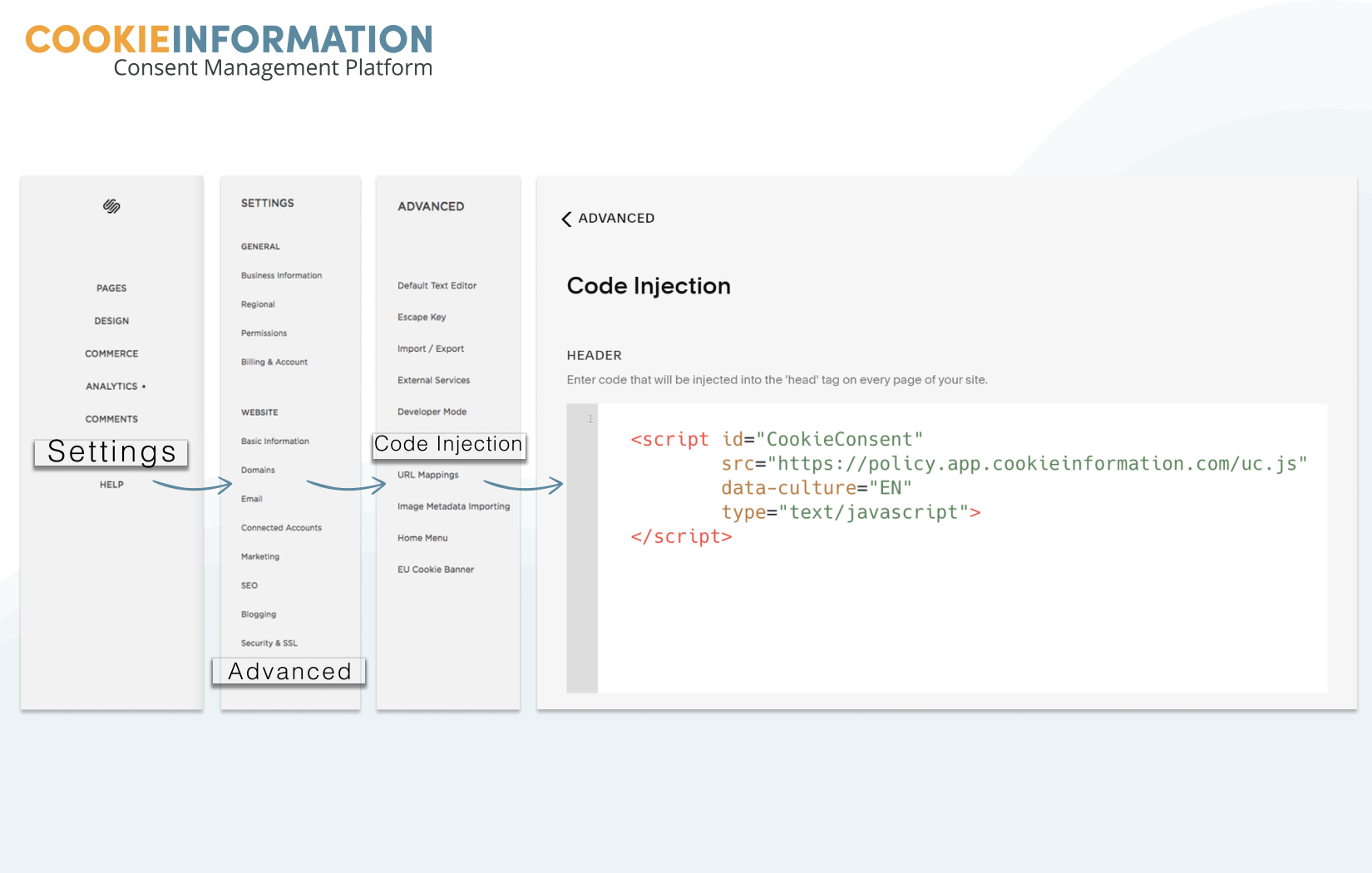
- In the Home Menu, click Settings, click Advanced, then click Code Injection.
- Add the pop-up script into the header, Code Injection field. Code added here is injected into the <head> tag on every page on your site.
<script id="CookieConsent" src="https://policy.app.cookieinformation.com/uc.js" data-culture="EN" type="text/javascript"></script>- After adding your code, click Save.
Policy implementation
To implement the policy use Squarespace Code Block feature:
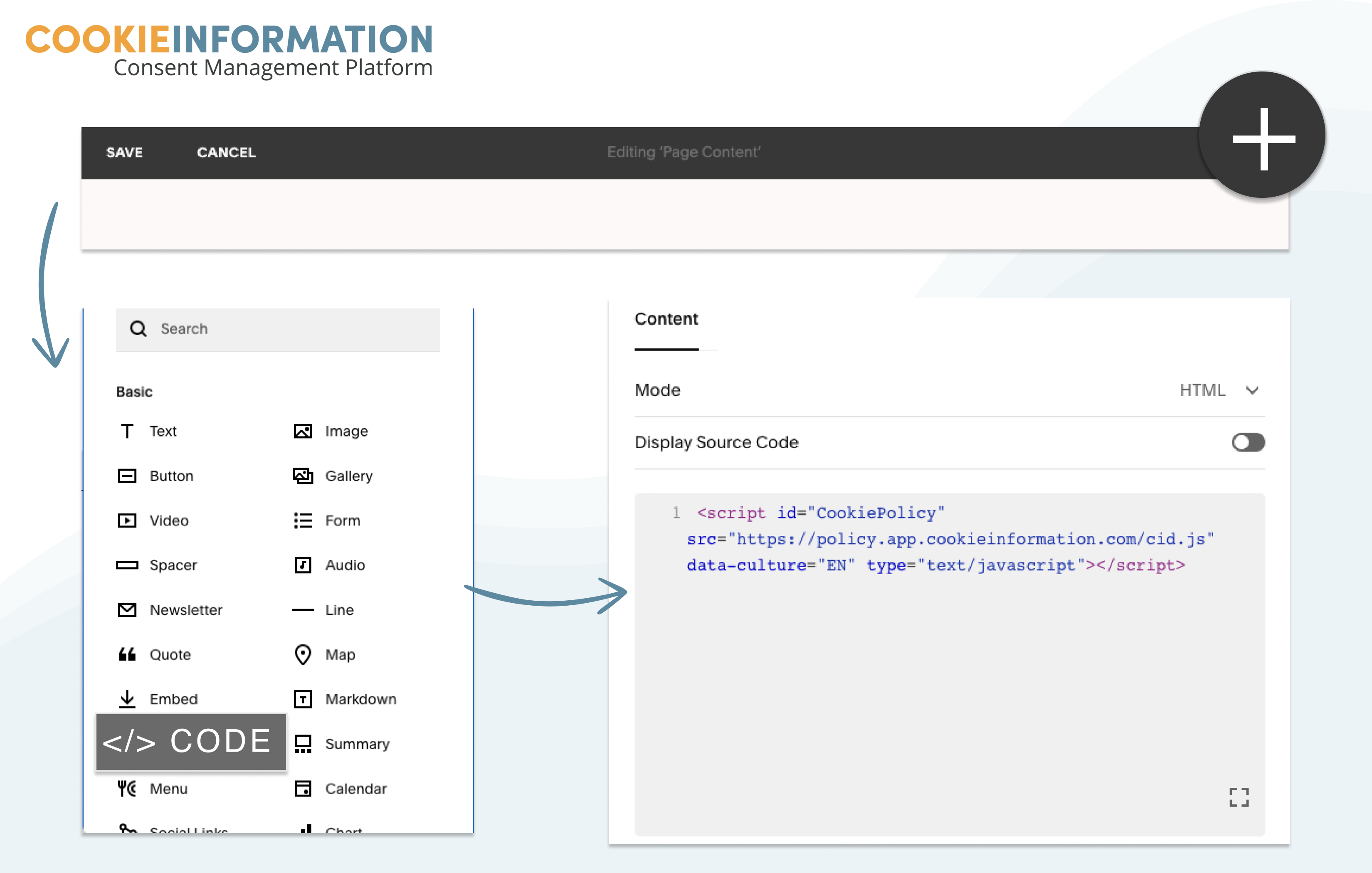
- In Squarespace, go to the webpage you want to insert the cookie policy onto.
- Add a new block and click on “+”. There choose “</> Code”.
- Add the policy code in the text field.
<script id="CookiePolicy" src="https://policy.app.cookieinformation.com/cid.js" data-culture="EN" type="text/javascript"></script>- Click Apply.


