
Umbraco is a content management system that helps you build and manage websites. To show the Cookie Information consent popup on an Umbraco site, you need to add the consent popup script to your master template.
This guide shows you where to place the script so the consent popup can appear across your website.
To implement the Pop-up you would need to add the script to your Master template following the steps below:
- Go to “Settings” on your Umbraco admin page.
- In the Settings menu choose “Templates” – your “Master template”.
- Using the code editor add the Pop-up script to the <head>.
<script id="CookieConsent" src="https://policy.app.cookieinformation.com/uc.js" data-culture="EN" type="text/javascript"></script>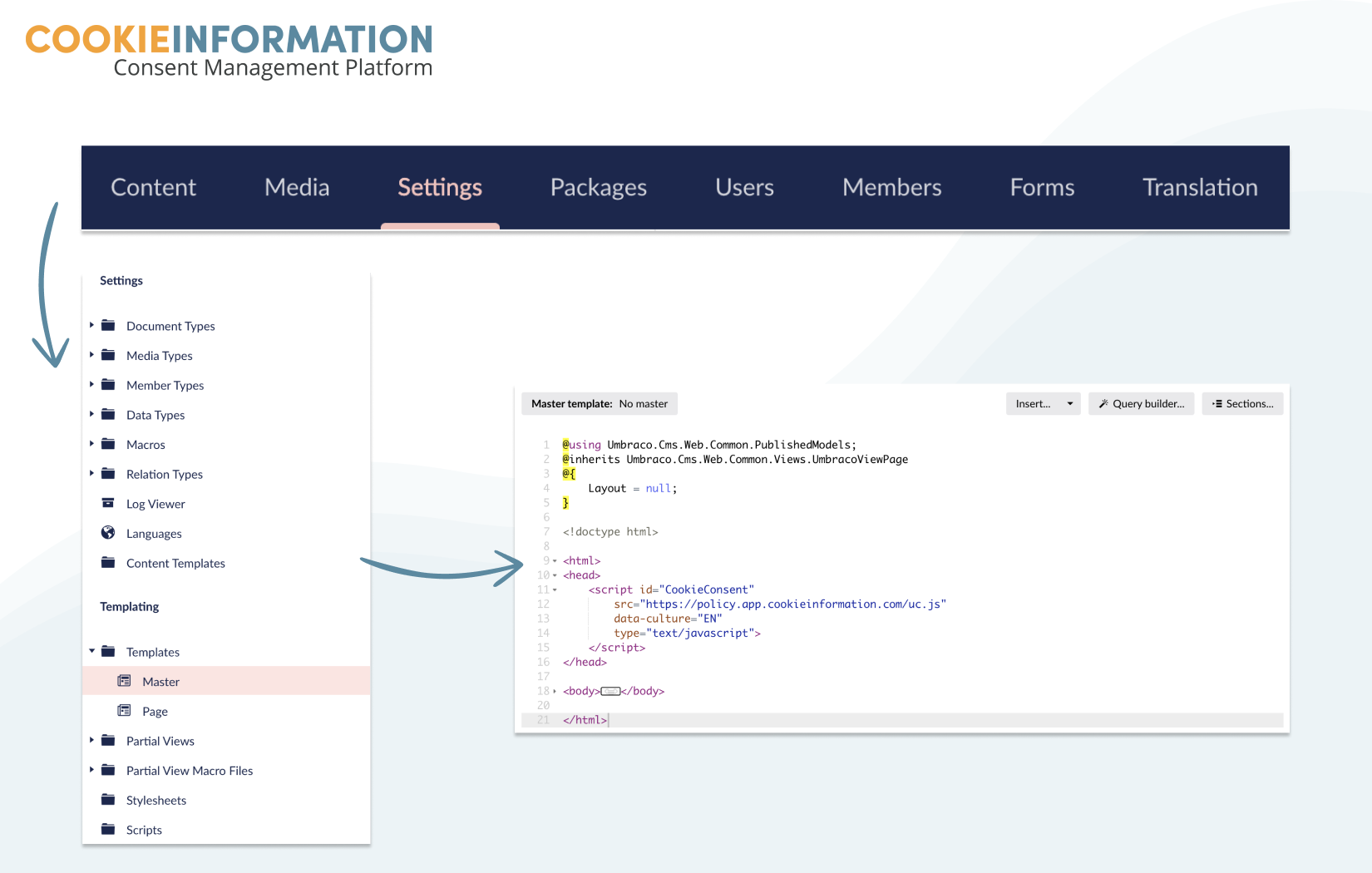
If you do not have a master template already you can create one following Umbraco guides. You can read more about master templates here and templates in general here.


