
If you significantly change your consent setup or how you handle user data, for example, by updating a cookie category, you may need to obtain consent again from visitors. It means you need to reset the consent. In this article, we’ll show you how to do it.
Before you start
Here are a few things to know before you start:
- You need to reset consent only when you have made significant updates that could influence the scope, purpose, or legal basis of processing. For example:
- You add new cookie categories, such as marketing or analytics cookies, that weren’t included before.
- You add new or significantly changed data processing purposes.
- You change the legal basis for an existing data collection or processing activity, for instance, from legitimate interest to consent.
- You resume or renew data processing after consent was previously withdrawn or expired.
- You make major updates to the privacy or cookie policy that significantly affect users’ rights or choices.
Ask visitors for consent again
To ask visitors for consent again, follow these steps:
1. Log in toCookie Information.
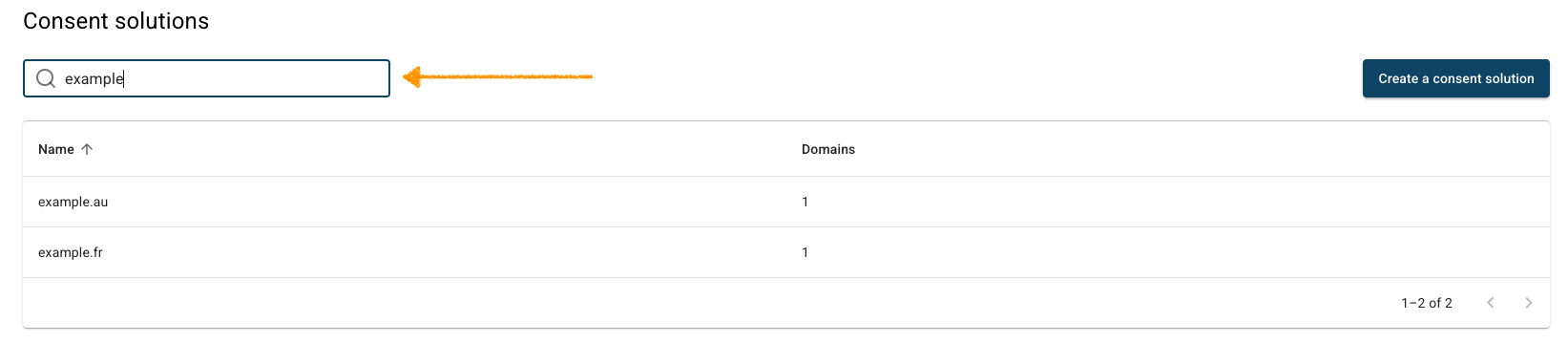
2. In Consent solutions, find the consent solution you want to reset consent.
3. Go to Settings.
4. In Ask visitors for consent again, click Reset consent.
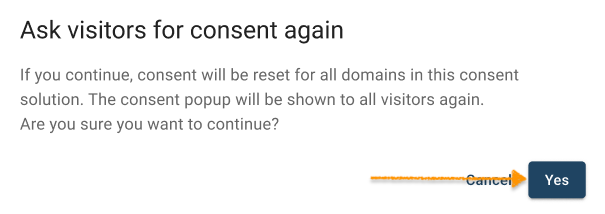
Note: Ask visitors for consent again option will reset consent for all domains in this consent solution. The consent popup will be shown again to all visitors. Use this only if you’ve made changes that require new consent from returning users, like updates to cookie purposes, legal basis, or vendors. This is a one-time action.
5. Click Yes in the modal.
6. Done.


