
If your website uses technologies to collect and process users’ personal data, you must provide users with the ability to give, refuse, and change their consent at any time. This helps you comply with privacy laws such as GDPR and CCPA.
A consent widget allows users to easily reopen the consent popup to adjust their preferences. In this article, we’ll show you how to adjust or remove the consent widget.
Before you start
Here are a few things to know before you start:
- The consent widget, the icon
 , is a feature that allows users to reopen the cookie consent popup on your website after they have initially made their choices. This widget works by default in Cookie Information Consent Management Platform.
 - If you don’t want to use the consent widget, turn it off. You can adapt this mechanism to reopen the consent popup on any other button, link, or function by using the script below. More details later in the article.
- You need to apply the mechanism for reopening the consent popup on all pages of your website that collect users’ data.
- The script
javascript:CookieConsent.renew();reopens the cookie consent dialog when triggered.
Use the widget’s mechanism to make a button reopen the consent popup
To make a button reopen the consent popup using the widget’s mechanism, add the following script to your website’s source code for the desired button: <button onClick="javascript:CookieConsent.renew();">Renew Consent</button>.
Use the widget’s mechanism to make a link reopen the consent popup
To make a link reopen the consent popup using the widget’s mechanism, add the following script to your website’s source code for the desired link: <a href="javascript:CookieConsent.renew();">Cookie Settings<a/>.
Turn off the consent widget
To turn off the consent widget, follow these steps:
1. Log in to Cookie Information.
2. In Consent Solutions, findthe consent solution you want to turn off the consent widget.

3. Go to Consent popup > My templates.
4. Find the consent template you want to remove the widget from.
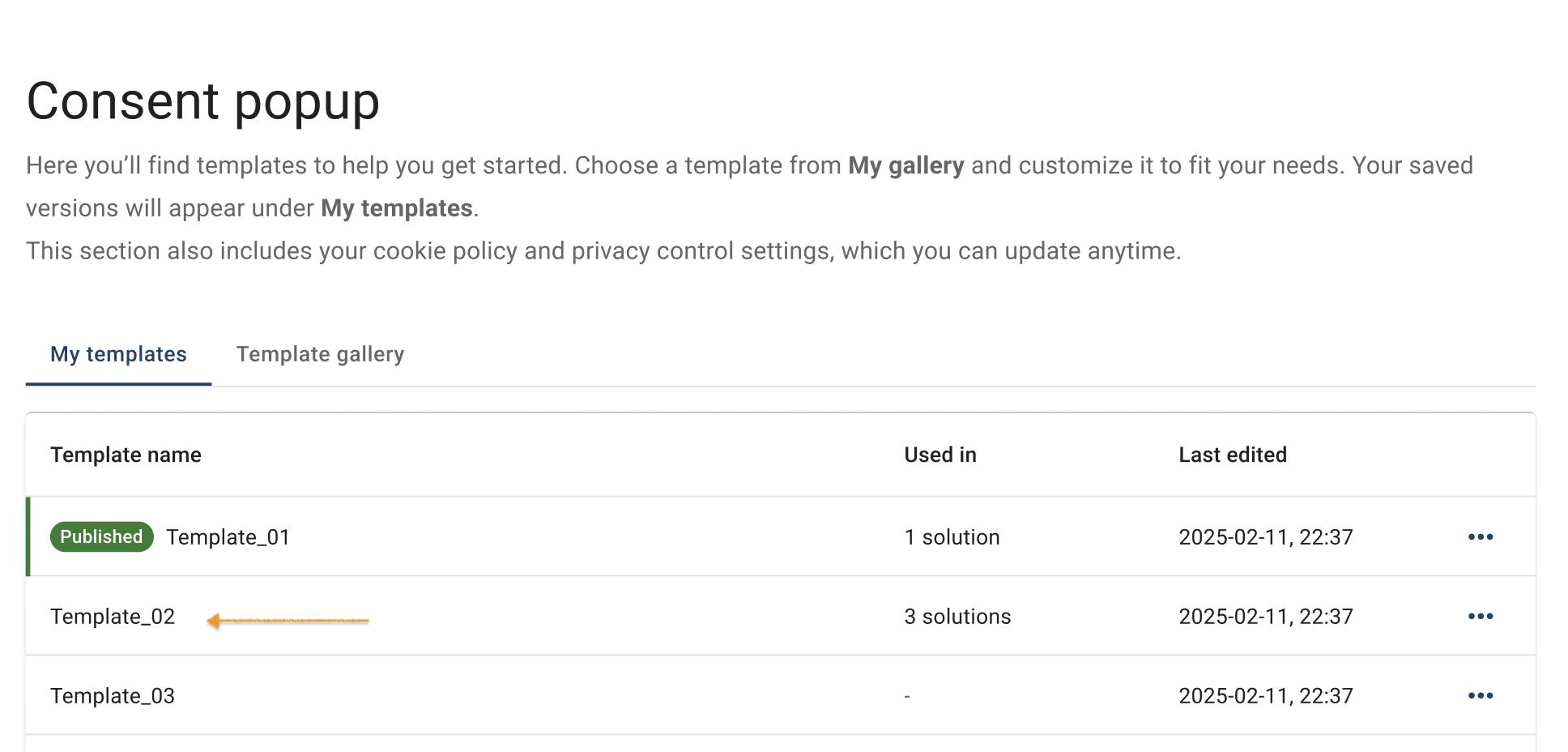
5. Click the ⋯ three-doticon next to the template name you want to change, then click Edit.
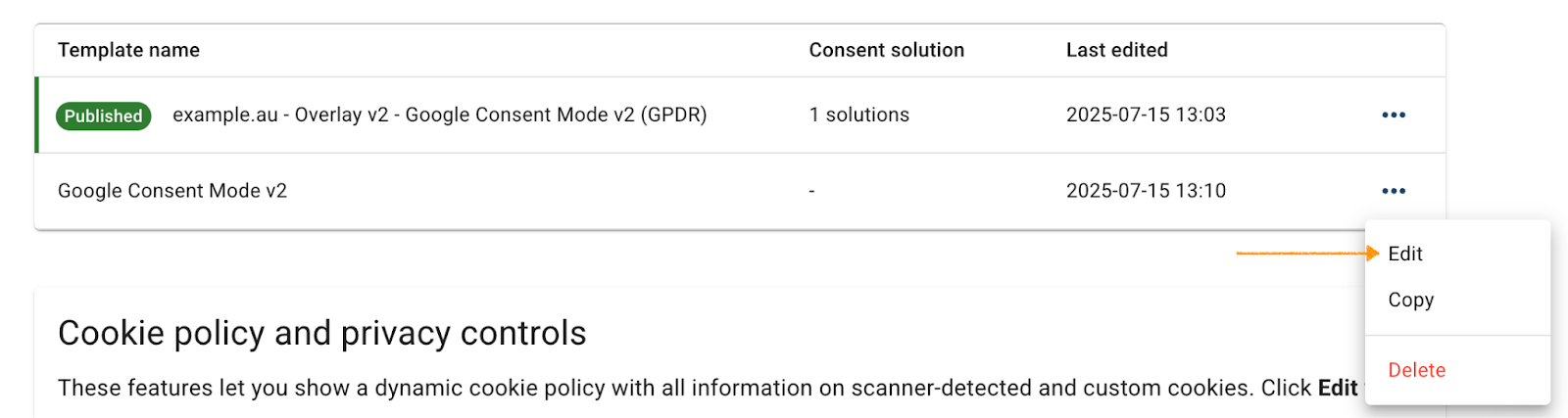
Note: The Published label shows which template is currently active for your consent popup:

6. In Template code, go to JavaScript.
7. Find the following code line: renewBtn.style.display = 'block';
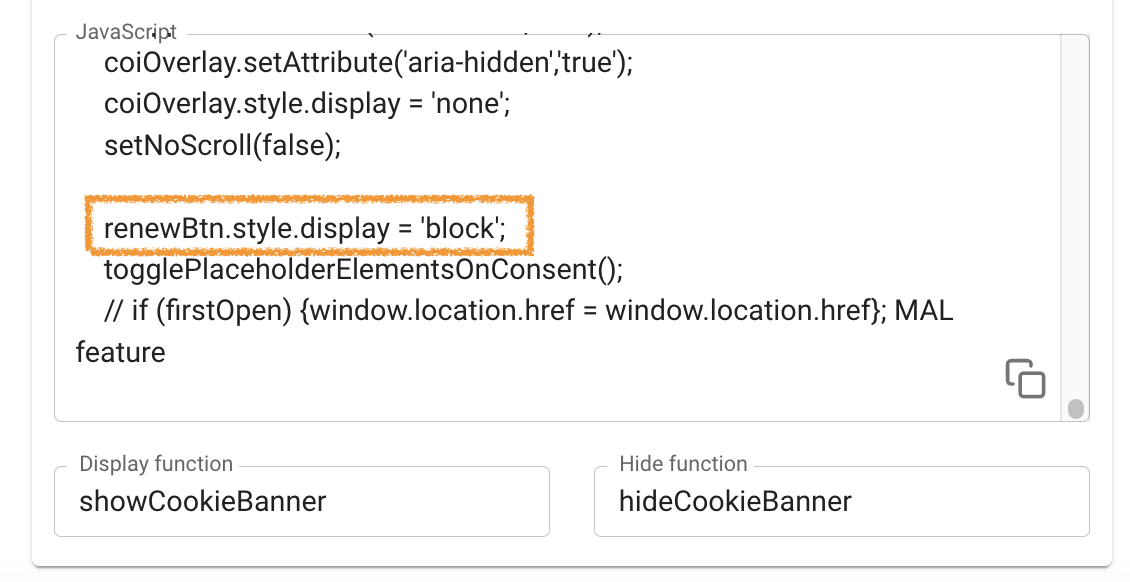
8. In the code, change 'block' to 'none'.
Note: If you want to turn on the consent widget, change this line to 'block'.
9. Click Save
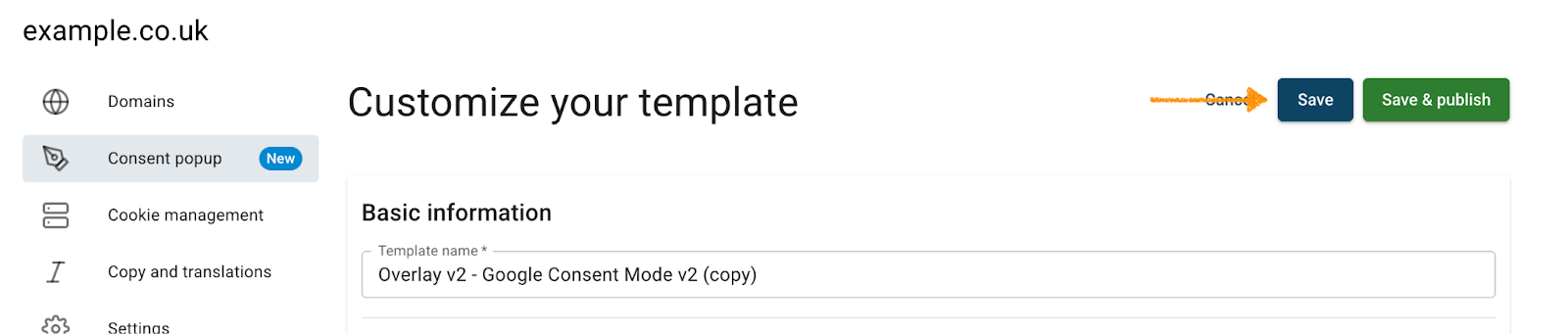
Note: Clicking Save only saves changes to your template. To publish the updated template, click Save and publish.
10. Done. You removed the consent widget from your website.


