
How to install Data Discovery service
- Ensure that your firewall allow outbound connections on the following addresses:
- Data delivery (Necessary): IP: 20.13.83.132 on port 443
- Logging (Recommended): IP: 20.71.10.220 on port 3100
- Log on to the server were you want to install the Data Discovery service.
Server requirements:
- Operating system: Windows Server 2019 or newer
- CPU: Dual core or more
- RAM: 16GB or more
- Additional software: Microsoft Visual C++ Redistributable
- Download and install Microsoft Visual C++ Redistributable
- Download and run Data Discovery Installer
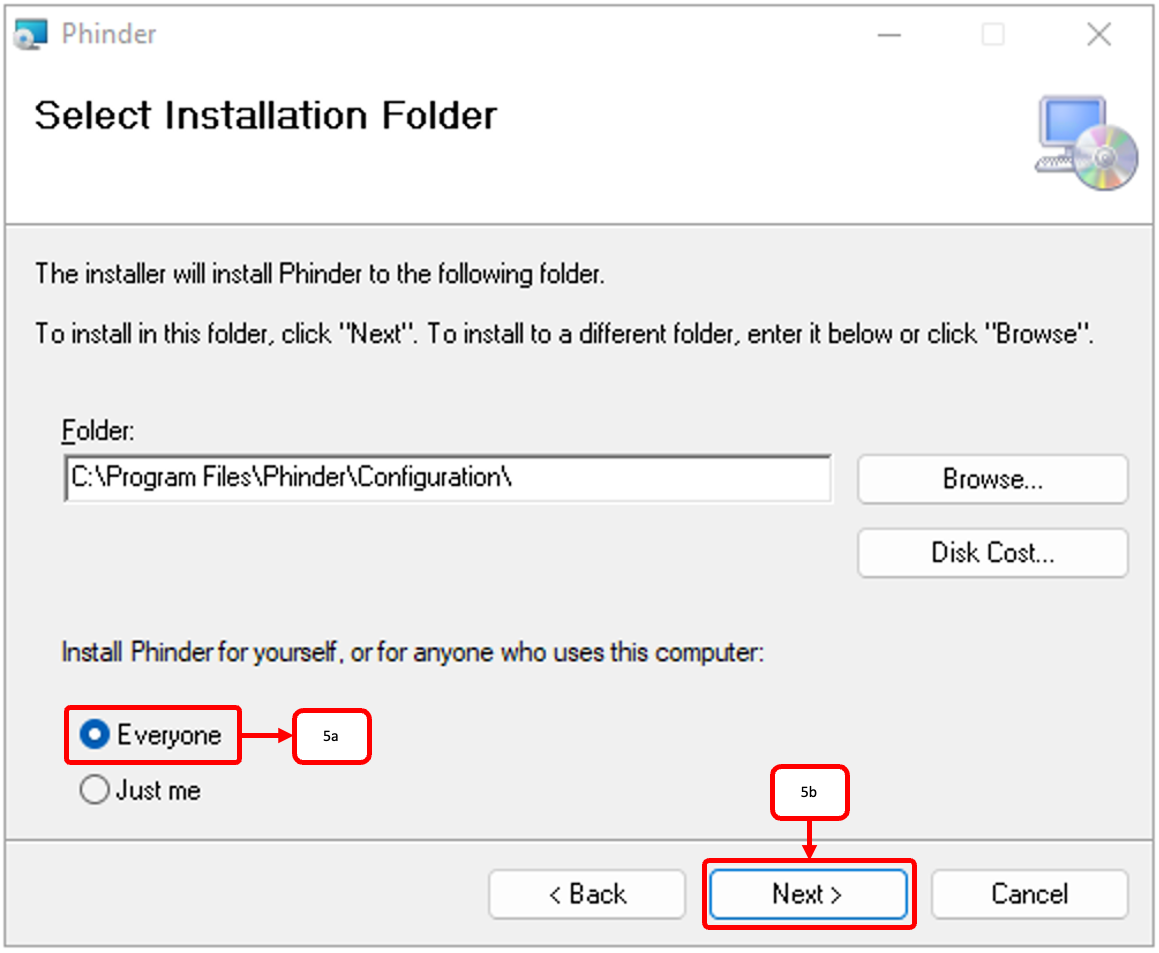
- Select Everyone(5a) when asked. Then click Next(5b) and continue the installation.
- Open Data Discovery Installer. You will find an icon on the desktop.
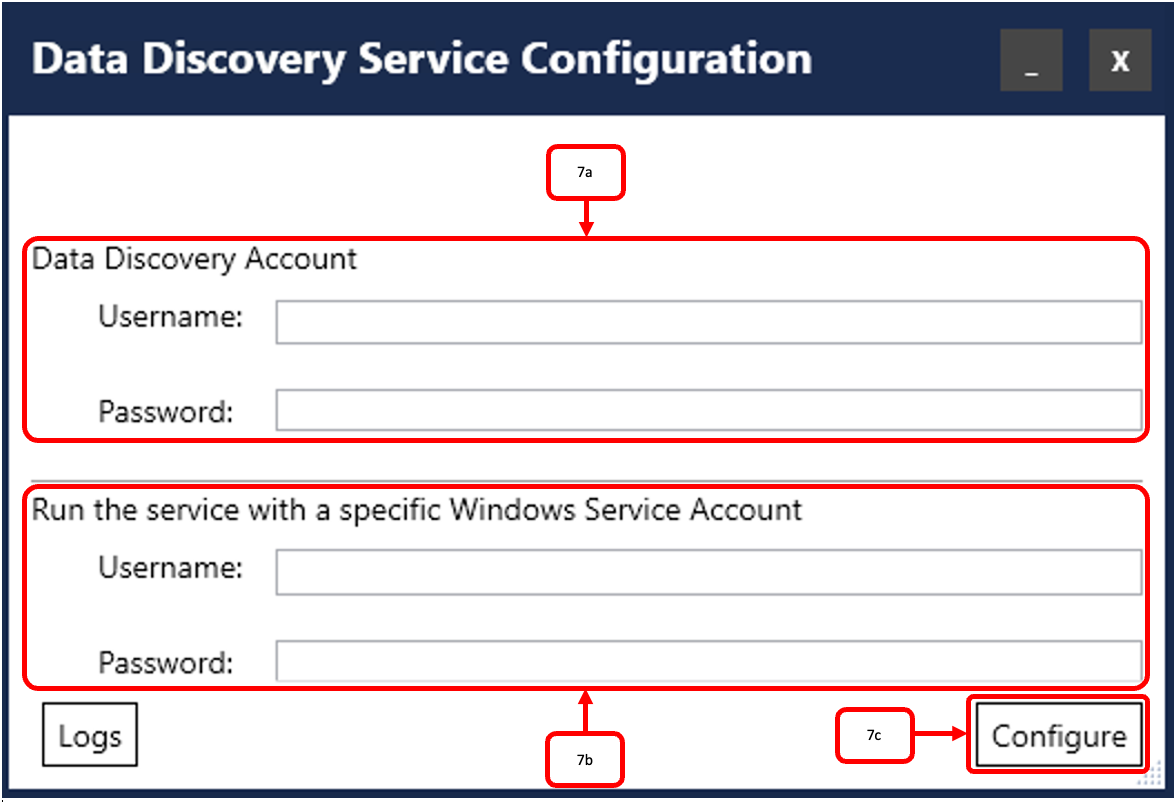
- Provide the credentials of your admin account for Data Discovery by Cookie Information(7a) and credentials your Windows Service Account(7b). Then click Configure(7c).
OBS: Provide user name for Windows Service Account as DOMAIN\Username
Contact our support if you do not know the credentials.


