
If you don’t need a certain consent solution, you can delete it. In this article, we’ll show you how to do it.
Before you start
Here are a few things to know before you start:
- A consent solution is a container that stores the following:
- Domains – public domains, public test and internal test domains.
- Templates – predefined popup designs, cookie policy designs, and privacy control templates.
- Cookies – a list of all cookies detected on public domains by the scanner, and custom cookies manually added to the consent solution.
- Languages.
- To delete a consent solution, you must first remove all domains associated with that solution. However, you can’t delete the last domain in the last consent solution.
Delete a consent solution
To delete a consent solution, follow these steps:
1. Log in to Cookie Information.
2. In Consent solutions, findthe consent solution you want to delete.
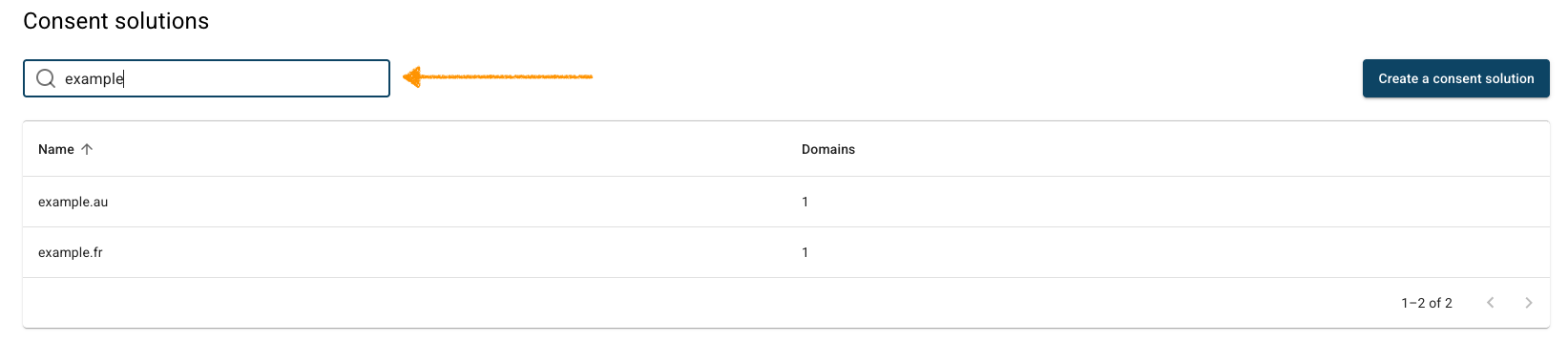
3. In Domains, find a domain you want to delete.
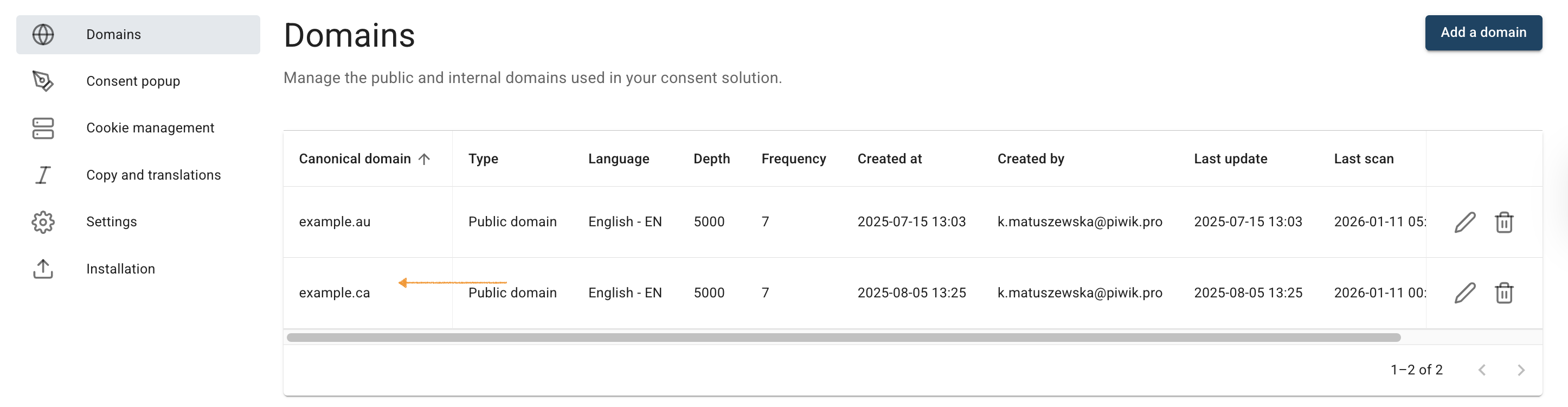
4. Click the trash icon.
5. Click Yes to confirm you want to delete the domain.
6. Repeat steps 3 and 5 for each domain in your consent solution.
7. Go to Settings.
8. In Delete your consent solution, click Delete.

Note: To delete a consent solution, you must first remove all domains associated with that solution. However, you can’t delete the last domain in the last consent solution.
9. Done.


