
If you don’t need a certain consent solution, you can delete it. In this article, we’ll show you how to do it.
Before you start
Here are a few things to know before you start:
- A consent solution is a container that stores the following:
- Domains – public domains, public test and internal test domains.
- Templates – predefined popup designs, cookie policy designs, and privacy control templates.
- Cookies – a list of all cookies detected on public domains by the scanner, and custom cookies manually added to the consent solution.
- Languages.
- To delete a consent solution, you must first remove all domains associated with that solution. However, you can’t delete the last domain in the last consent solution.
Prefer to watch? Watch the video tutorial on Vimeo.
Delete a consent solution
To delete a consent solution, follow these steps:
1. Log in to Cookie Information.
2. In Consent solutions, find the consent solution you want to delete.
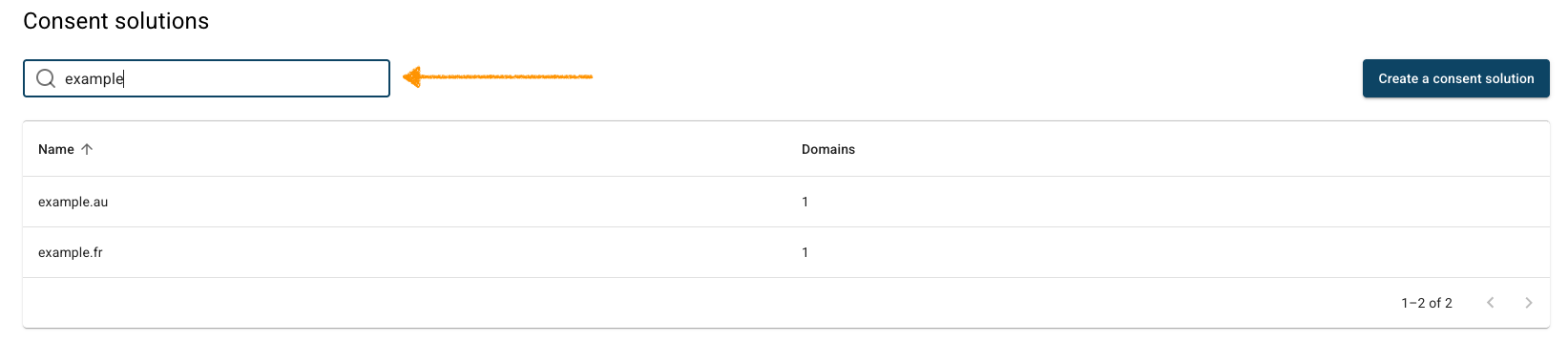
3. In Domains, find a domain you want to delete.
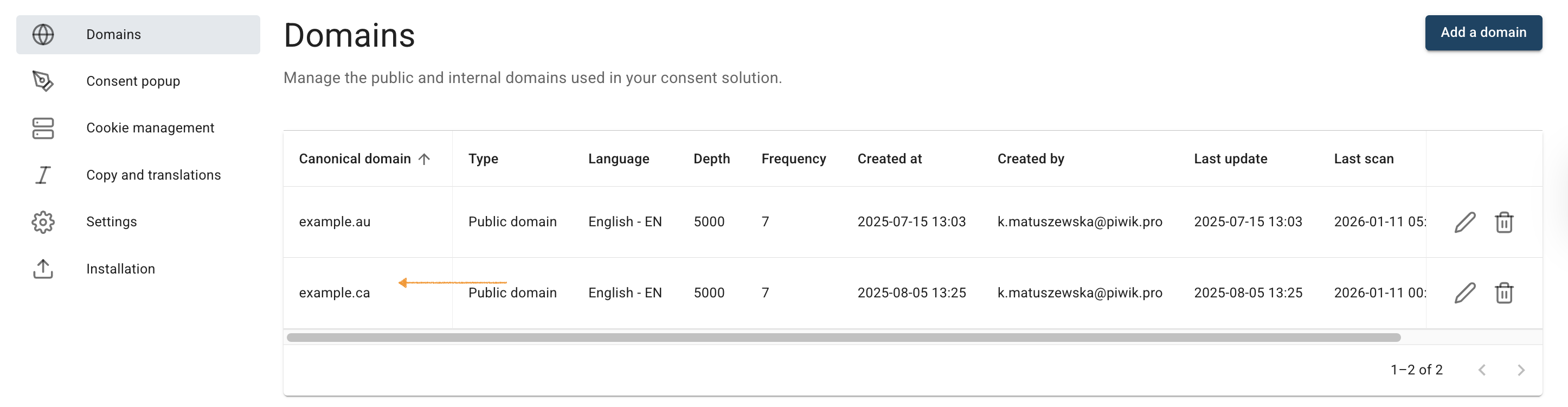
4. Click the trash icon.
5. Click Yes to confirm you want to delete the domain.
6. Repeat steps 3 and 5 for each domain in your consent solution.
7. Go to Settings.
8. In Delete your consent solution, click Delete.

Note: To delete a consent solution, you must first remove all domains associated with that solution. However, you can’t delete the last domain in the last consent solution.
9. Done.


