
If you want to change your payment card details for your Cookie Information account, you can do it yourself. In this article, we’ll show you how to do it.
Before you start
Here are some things to know before you start:
- To change your card details, you need to add a payment card and then delete the old one. You need to have at least one payment method.
Change your payment card details
To change your payment card details, follow these steps:
- Log in to Cookie Information.
- Under the user profile icon, click Billing. You’ll be redirected to the Cookie Information Customer Portal.
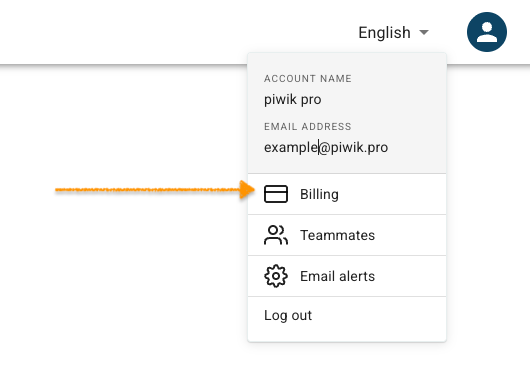
Note: You can also access the customer portal by logging into the account at Cookie Information billing portal using tge email address for your Cookie Information account.
- Go to PAYMENT METHOD.
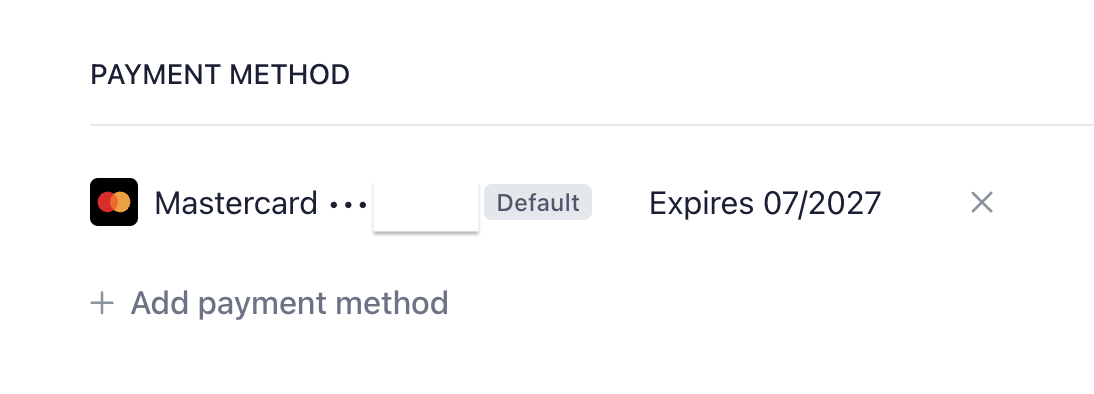
- Click + Add payment method.
- Fill out the form with all payment details.
- Click Add.
- Confirm adding the card in your banking app.
- In PAYMENT METHOD,Click X next to the card you want to delete it.
- Click Delete payment method.
- Done.


