
How do I change the company CVR number?
To change your company CVR number, follow these steps:
- Log in to Cookie Information.
- Under the user profile icon, click Billing. You’ll be redirected to the Cookie Information Customer Portal.
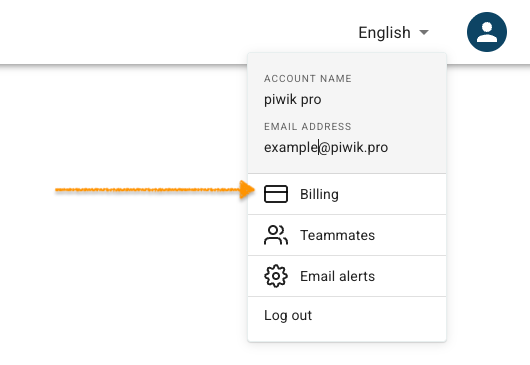
Note: You can also access the customer portal by logging into the account at Cookie Information billing portal.
- Go toBilling information.
- Click Update Information.
- In Tax ID, select your country.
- Type in the tax/CVR number.
- Click Save.
- Done.
How do I change the company name?
To change your company name, follow these steps:
- Log in to Cookie Information.
- Under the user profile icon, click Billing. You’ll be redirected to the Cookie Information Customer Portal.
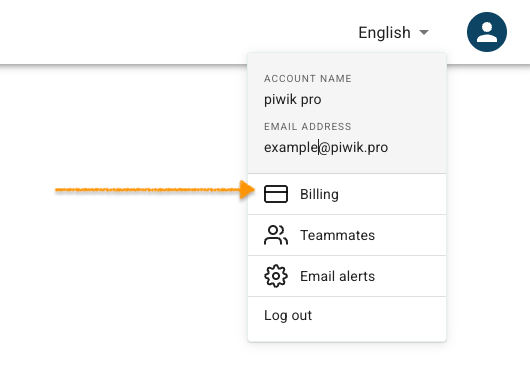
Note: You can also access the customer portal by logging into the account at Cookie Information billing portal.
- Go toBilling information.
- Click Update Information.
- In Name, type in your company name.
- Click Save.
- All done.


