
After your trial ends, you can subscribe to a paid plan to unlock more comprehensive compliance tools and greater flexibility.
In this article, we’ll show you how to subscribe to the Business plan.
Before you start
Here are a few things to know before you start:
- Plans – Cookie Information offers three plans: Business, Enterprise, or Cookie Banner.
- Domains – This is where you’ll see all public domains linked to your account. The cost depends on how often and how deeply you choose to scan each one.
- Action – In the Analytics module, it is any tracked activity by visitors or the platform on your website or app (like views, downloads, clicks, site searches, event or goal triggers, API requests, and more). Each action counts toward your monthly limit.
- Billing interval – You can choose to pay monthly or yearly.
Subscribe to the Business plan after a trial
To subscribe once your trial ends, follow these steps:
- In Cookie Information, click Subscribe.
- In Subscription, select Business.
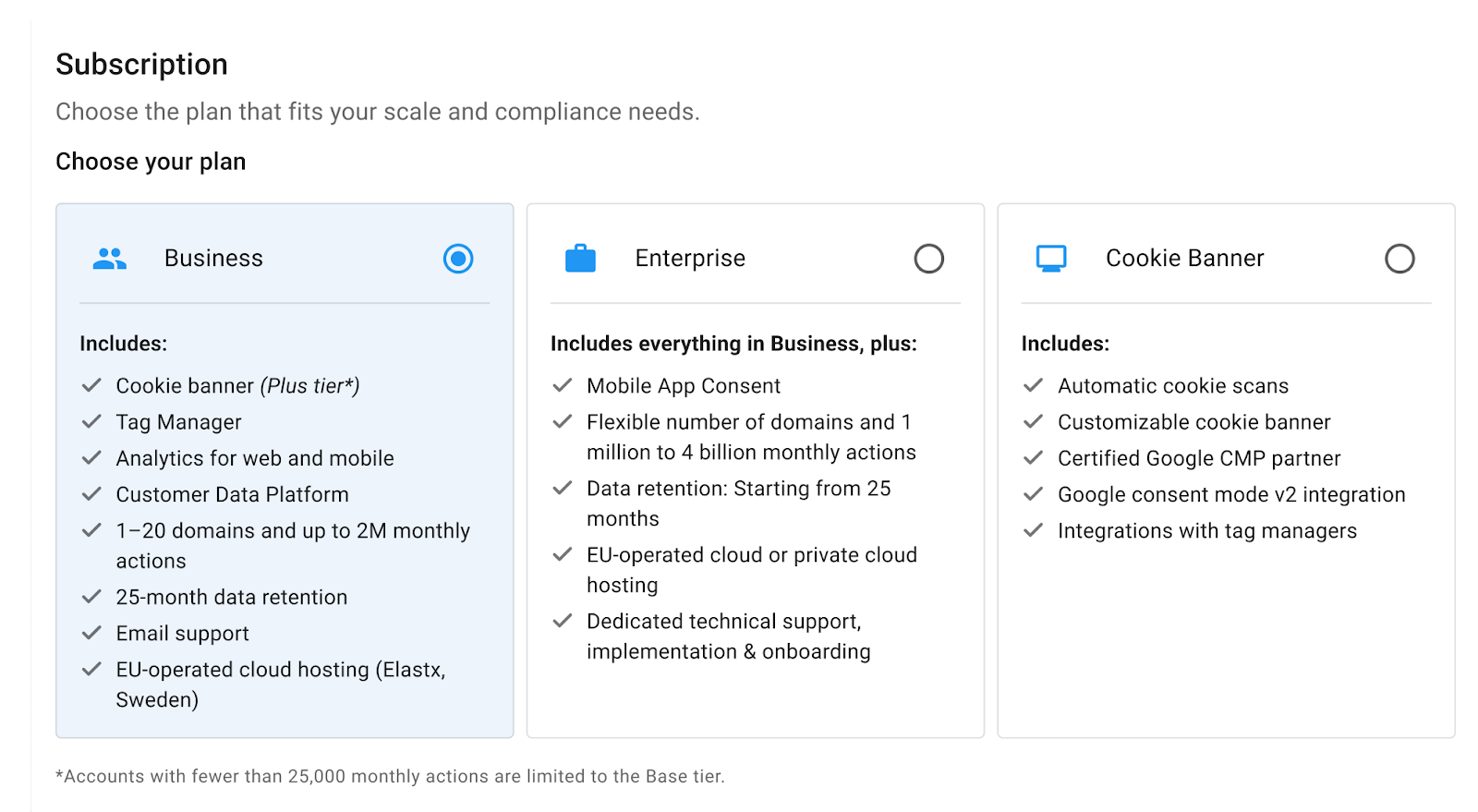
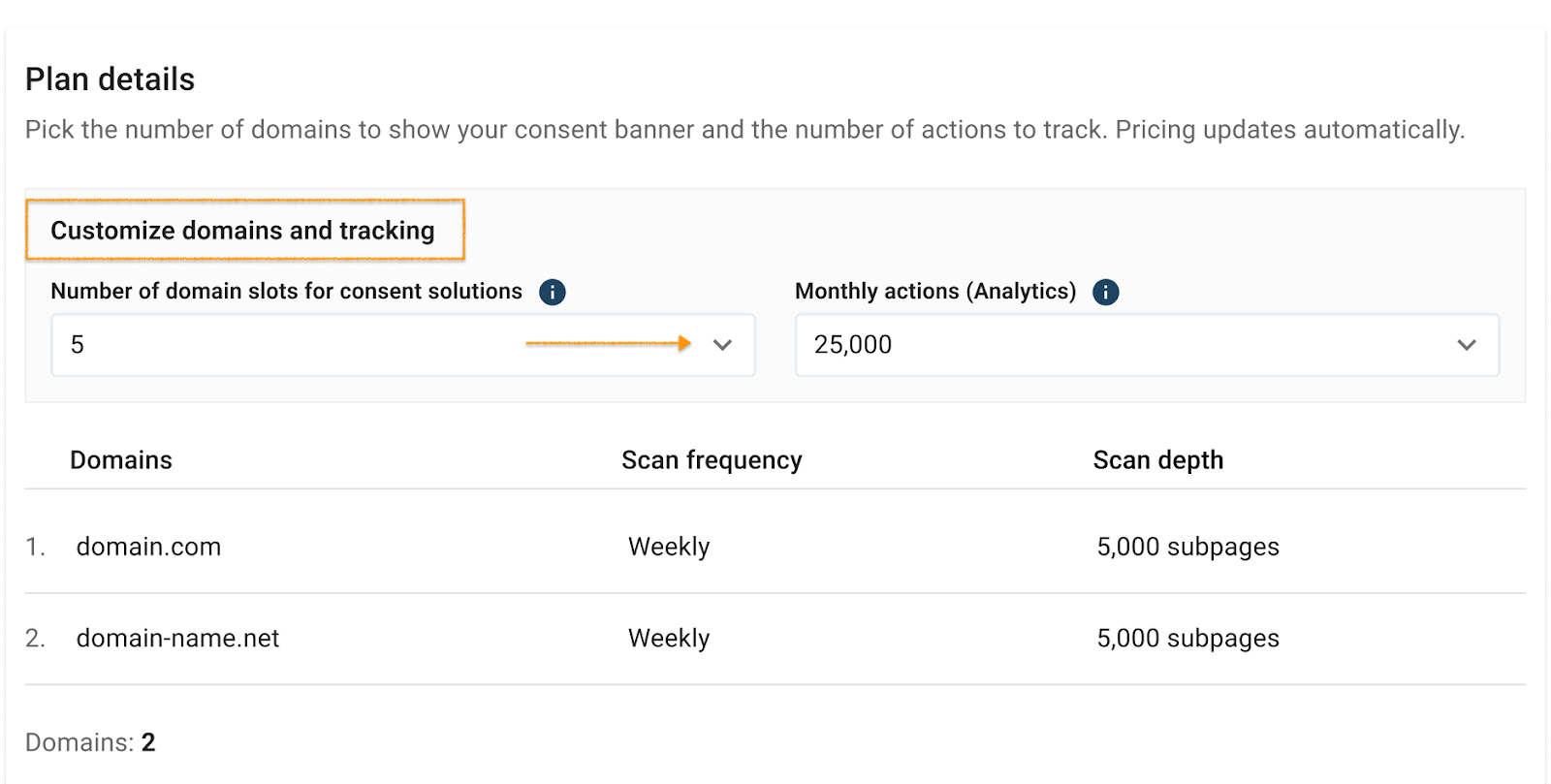
- Go to Plan details > Customize domains and tracking.
Note: Business plan pricing – The monthly cost depends on the number of domains you use and the actions you track.
- Up to 25,000 actions/month – Includes scanning of up to 500 subpages per domain.
- Above 50,000 actions/month – Includes scanning of up to 5,000 subpages per domain.
- In Number of domain slots for consent solutions, choose how many websites you want to display the consent popup on.
Note: In the Analytics module, an action is any tracked activity by visitors or the platform on your website or app. Examples include:
- Page views
- Downloads
- Clicks
- Site searches
- Event or goal triggers
- API requests
Each action counts toward your monthly limit.
- In Monthly actions (Analytics), choose how many actions you want to track.
- In Subscription summary, click Continue to billing.
- In Billing Information, fill out the form.
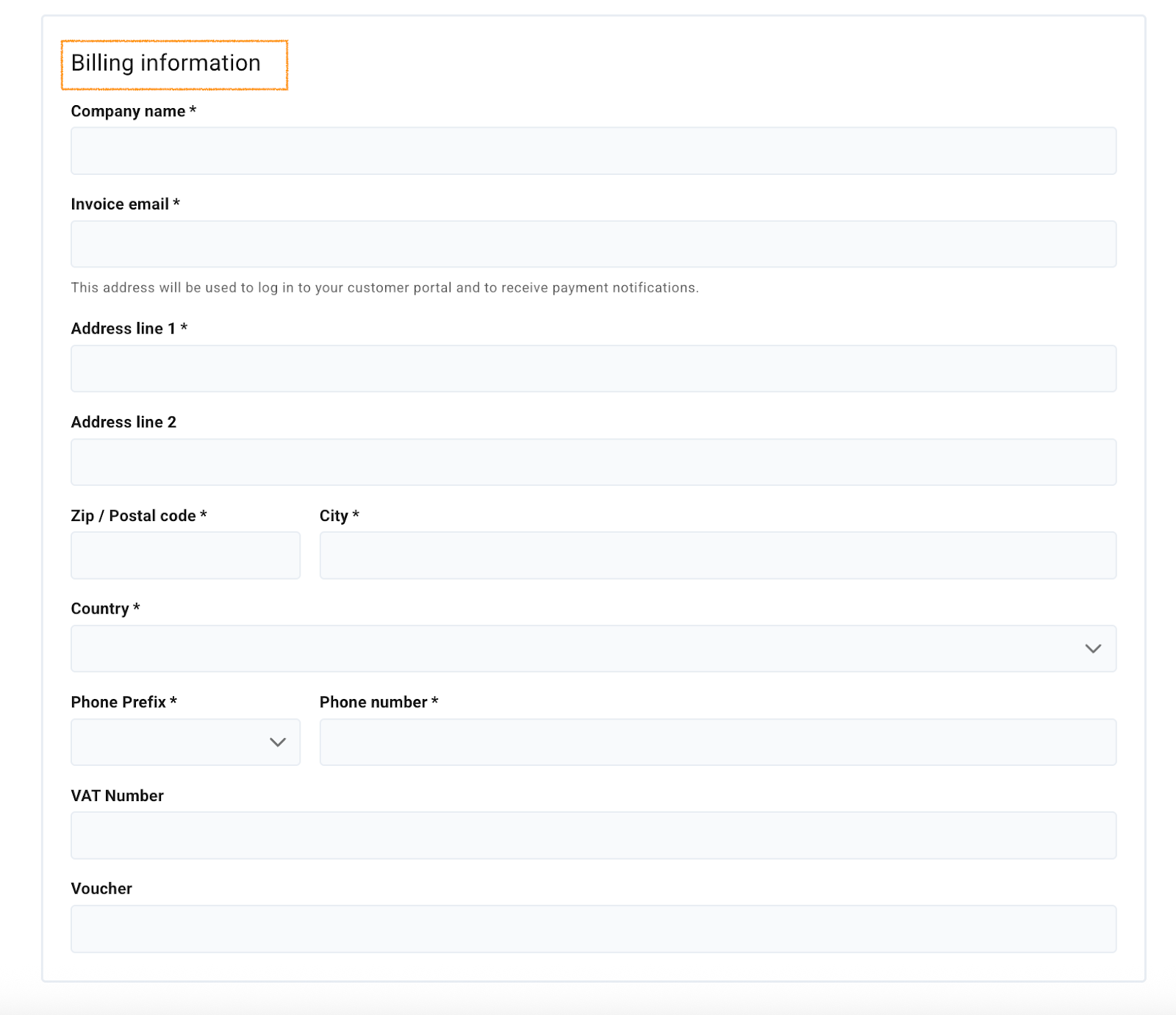
Note: The voucher field is not mandatory. If you have trouble using the voucher code, remember it’s case-sensitive.
- Click Continue to payment. You’ll be redirected to Stripe, our payment provider.
- Done. Once your payment is processed, you’ll be redirected back to Cookie Information so you can start using it.


