
You can delete a custom cookie when you no longer need it. In this article, we’ll explain how to do it.
Before you start
Here are some important things to keep in mind before you start:
- A custom cookie works only for the domains set up for the specific consent solution.
- You can only delete custom cookies, not the ones found by the scanner and listed in the consent popup.
- You can’t restore a custom cookie after deleting it.
Delete a custom cookie
To delete a custom cookie, follow these steps.
Note: You can’t restore a custom cookie after deleting it.
1. Log in to Cookie Information.
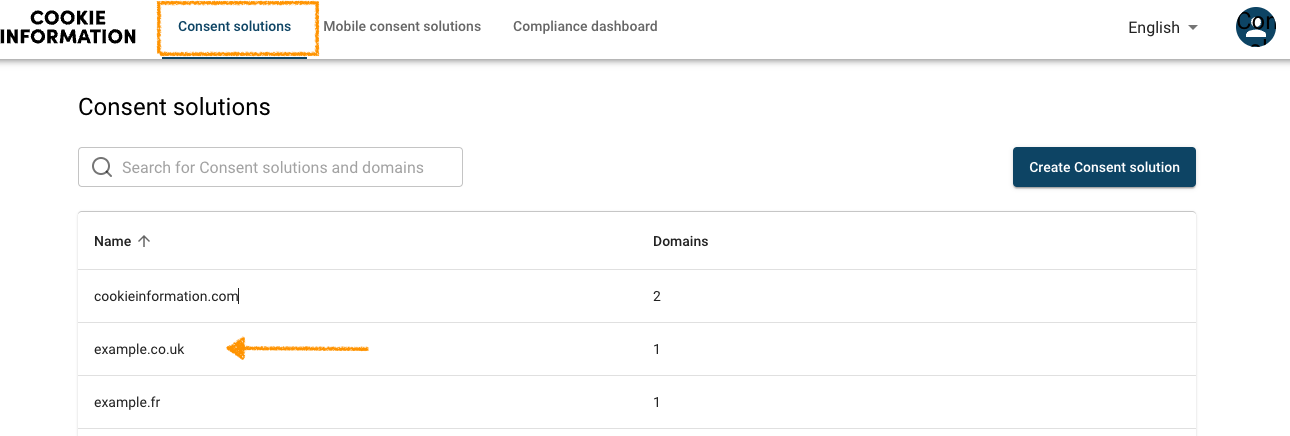
2. Go to Consent solutions.
3. Find the consent solution you want to delete a custom cookie.
4. Navigate to Cookie management.
5. Find the cookie you want to delete.
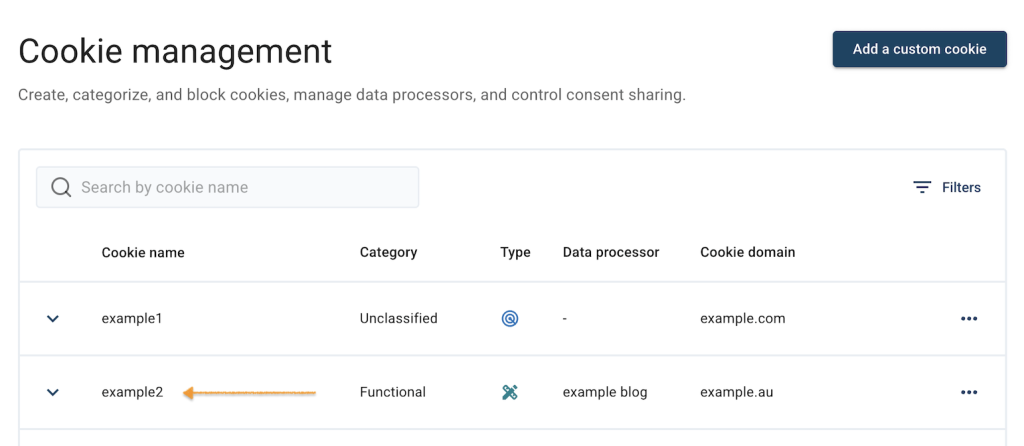
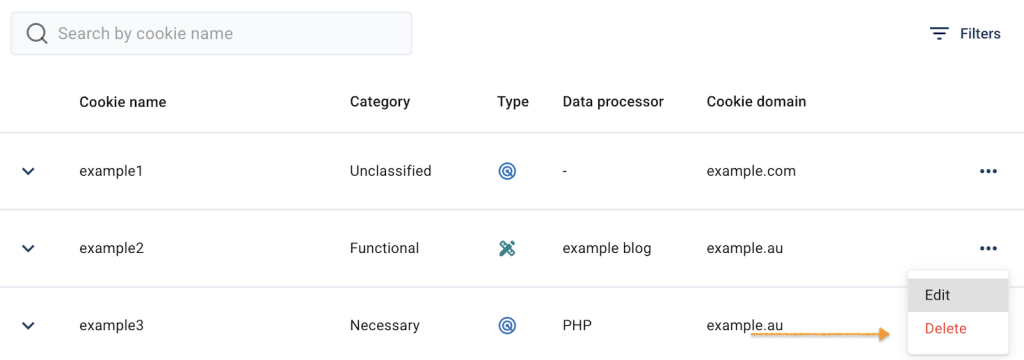
6. Click the ⋯ three-dot icon next to the cookie category.
7. Click Delete.
8. Click Yes to confirm.
9. Done.


